

Yesterday saw the release of a major update to the free rapport service call handling software with many changes being made to make it easier to use and improve the functionality of the system.
Existing users are warned however not to install this upgrade before contacting support as they may have to migrate your data for you to mitigate any risk. This is not set to be a problem for the future with the new integrated update facility that has been added which we talk about below.
We walk you through the main changes that have been made in the latest release of rapport below.
Dashboard
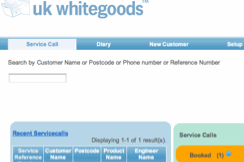
The dashboard is a new concept that allows you to view active calls at a glance, the service calls you need to book, the calls awaiting spare parts, technical information and a host of other different statuses can be displayed so can see what’s going on with your business at a glance.
The dashboard serves as a homepage that you can do most of the work you need to do.
The nice thing about this is that you can customise the screen to meet your needs, which we go into more below but it also allows you to become more task centric. For example, if you want to deal with calls that you have logged that need appointments booked, you simple click on that and you can instantly see all the calls that are awaiting appointments to be booked. Once these are dealt with and no more remain to be booked, the status vanishes from your dashboard so you can focus on other things.
The same applies to any status, depending on your settings of course, which allows you to instantly see what calls need dealt with at any particular status.
The new search function on the dashboard allows you to get the most commonly used tasks very quickly when taking or entering a service call as you can instantly see if you have an existing record for the customer, if a call is already booked, what appliances that you have a record for or just book a new call entirely. It sounds a lot but, in reality, it’s actually incredibly easy to navigate and see what records you hold in seconds.
Call Status
One of the big things that was missing from the initial release of rapport was the ability to have service calls assigned to different statuses, this has now been remedied in this release allowing the introduction of the dashboard but also allowing some exiting developments for the future of the system.
The system comes pre-loaded with the most common statuses that we use in the appliance service industry but also has the ability to have a few custom statuses, not that most users will ever need them but, they’re there.
Custom Colour Selection
The news on the rapport website actually explained this feature very well.
What it means is that a job status that you regard as urgent, for example “complete to be invoiced” may be regarded as highly important to you and, you may want to make that bright red so it stands out.
Equally, you might think that “waiting on technical” isn’t so important and that can be a very light blue. Again, you can make it that way very easily.
This allows, in conjunction with the new dashboard to allow you to focus on the things that you need to focus on, not on service calls that are not as urgent or, that do not require as much attention but, more so, to be able to simply look and see that rather than having to trawl about pulling off reports to get that information.
Notifications
The dashboard now includes a notifications feature that informs you of major events or updates to the system. This can be used to notify you of any system updates or maintenance that needs to be carried out as well as messages being sent to you that relate to anything on the system.
Future releases should also allow you to set up notifications of your own, so that you can be notified of particular events and see them on the dashboard.
A lot of the call screens have been changed but you can see that work is ongoing on making these all come to the same design.
Automatic Updates
This is one of the biggest changes made along with the introduction of dashboard.
With one click future updates can be automatically downloaded and installed right from within the system window itself without having to do anything other than confirm that you want to carry out the update. It automatically backs up your data, downloads the update files and then installs them.
We’ve used it and it is extremely easy to use and, heaps faster than the old way where you had to download all the files in order to update.
There are numerous other changes of course that are detailed on the rapport site and you can learn more there.